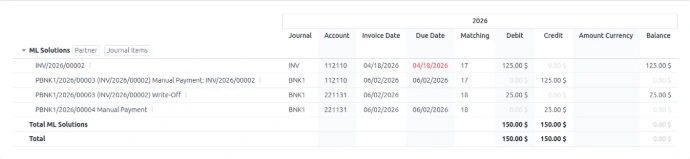
Holdback retention is a common practice used to secure transactions by withholding a portion of an invoice until services or work have been fully completed, validated, and approved.
While this functionality is not available natively in Odoo, it can be easily implemented through a simple configuration and a few best practices.
1. Display Holdback Retentions in the Partner Ledger
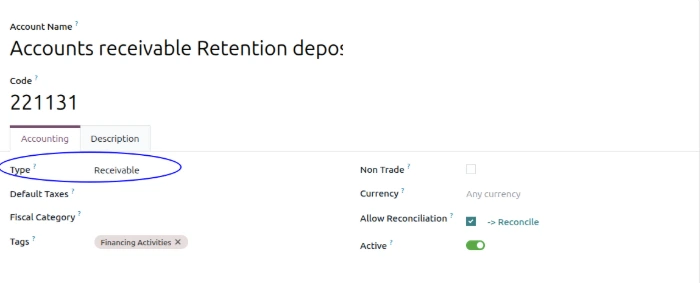
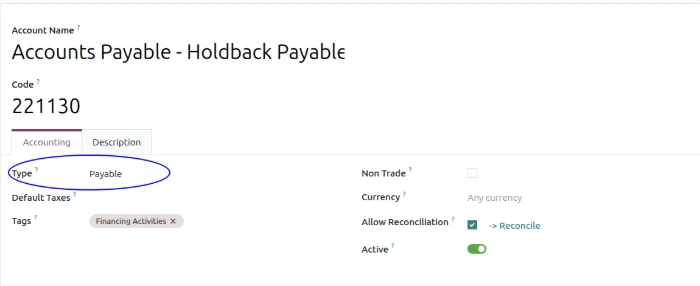
The holdback account must be configured with one of the following account types:
- Accounts Receivable → for customer holdbacks
- Accounts Payable → for vendor or supplier holdbacks
2. Partial Invoice Payments
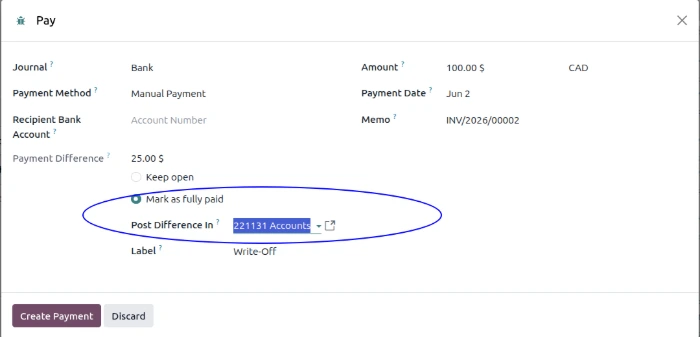
Record a partial payment using the write-off feature and select your retainage account.
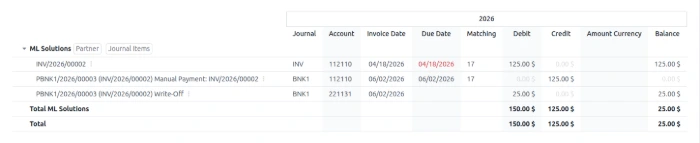
3. Partner Ledger
After validating customer or vendor payments, Odoo generates the following journal entries:

4. Retainage Payment
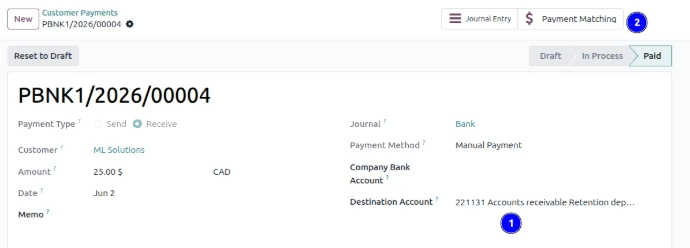
Process the payment by selecting your retainage account, or create a journal entry and reconcile the payment afterward.

5. Partner Ledger
After reconciliation, the Partner Ledger is displayed as follows: